Resharper and Unity Autocomplete

Greetings,
I seem to be having a problem, and I am not sure if it is a PEBCAK or an issue. I have been having problems with auto completion of functions in Visual Studio/Unity. This would work for a second, but then would stop working. What I would like to do it when I start typing void OnTriggerEnter, have it autocomplete for me with the tab. Like I said, it will work for a second, but it seems when the Reshaper plugin activates, it stops working.
I have tested my theory by removing Resharper, and it would work after I did that.
I have tried this on both Visual Studio 2022 and 2019. I have worked with the Unity community and have tried all the suggestions of doing updates, changing settings, etc. I have always had Resharper since I started my journey with development, and I have never had the ability until I removed Resharper.
I am hoping someone can help me, because I would really like to continue to use Reshaper.
Thank you.
Please sign in to leave a comment.
thank you for contacting us.
What version of ReSharper do you use?
Do you have Unity plugin?
Is it possible to send us a sample project where we can reproduce the issue?
Or some video?
Thank you!
I did not have the Unity Extension installed. I wasn't aware that it was a thing that I had to do. I just tried to install the extension, and I got the following:
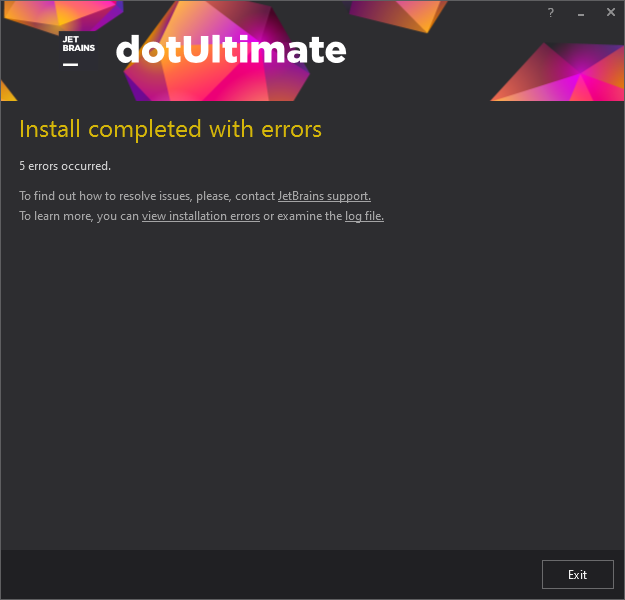
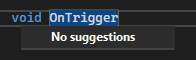
I am still having the problem. When I try to do void OnTriggerEnter2D, I get no suggestions, and it doesn't autocomplete the function for me.
This only happens with Resharper installed. I feel that I am doing something wrong, but I am not sure what it is.
I am using JetBrains ReSharper 2022.3.1 for Visual Studio 2022.
could you please send us this installation log?
Thank you!
How would you like me to send it? And where can I find the files that you are looking for?
Please send installer log file from the following folder:
%localappdata%\JetBrains\Shared\vAny\Installer
You could upload it here: https://uploads.jetbrains.com/
Thank you.
There were two logs from today. One from reinstalling ReSharper, and one from I guess the Unity extension.
I have uploaded a zip file. The id is 2023_01_23_pDDbm9VRLVz9x9PwnTG61z.
Thank you for your time.
you were faced with this issue: https://youtrack.jetbrains.com/issue/RSRP-480936/Errors-install-Unity-plugin-without-C-support.
So as a workaround please install ReSharper C++ too.
After it please try to re-install Unity plugin and check the result.
Thank you!
I have done this, and I did not get an error when installing the Unity Extension, but I am still having the same problem. I checked that I had Unity settings in ReSharper, and I do, and all the options seem checked, but when I start typing void OnTrigger, I get no suggestions.
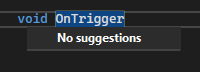
Thank you for your time. I am not too sure what is going on with my setup.
is it possible to send us a sample project where we can reproduce the issue?
Also please export all your settings (ReSharper | Manage Options | Import&Export | Export to file) and send them to us too.
Thank you!
Well, it happens with any project I create. This has always been the case for me when working with Unity since I started over 18 months ago, I just kind of got tired of not having the auto complete. :)

Of course, as I was creating a sample project for you and tested it, it worked. Then I went back to my current project, and it worked there too. So, it seems that the issue is resolved. I didn't restart my computer, but I had restarted Visual Studio 2022 after I installed the Unity Plugin. Maybe I had to restart Unity too?
As you can see, I am getting autocomplete options now. So, thank you for everything that you did. This is going to make my life so much more simple. I have been working without function autocomplete since I started about 18 months ago. Thank you again for your time and persistence. It is much appreciated.
great that it works now!
Thank you for letting me know.
Please feel free to contact us in case of any problems or questions.
Thank you!