ReSharper doesn't modify .editorconfig when requested

I use an editorconfig file to manage code style.
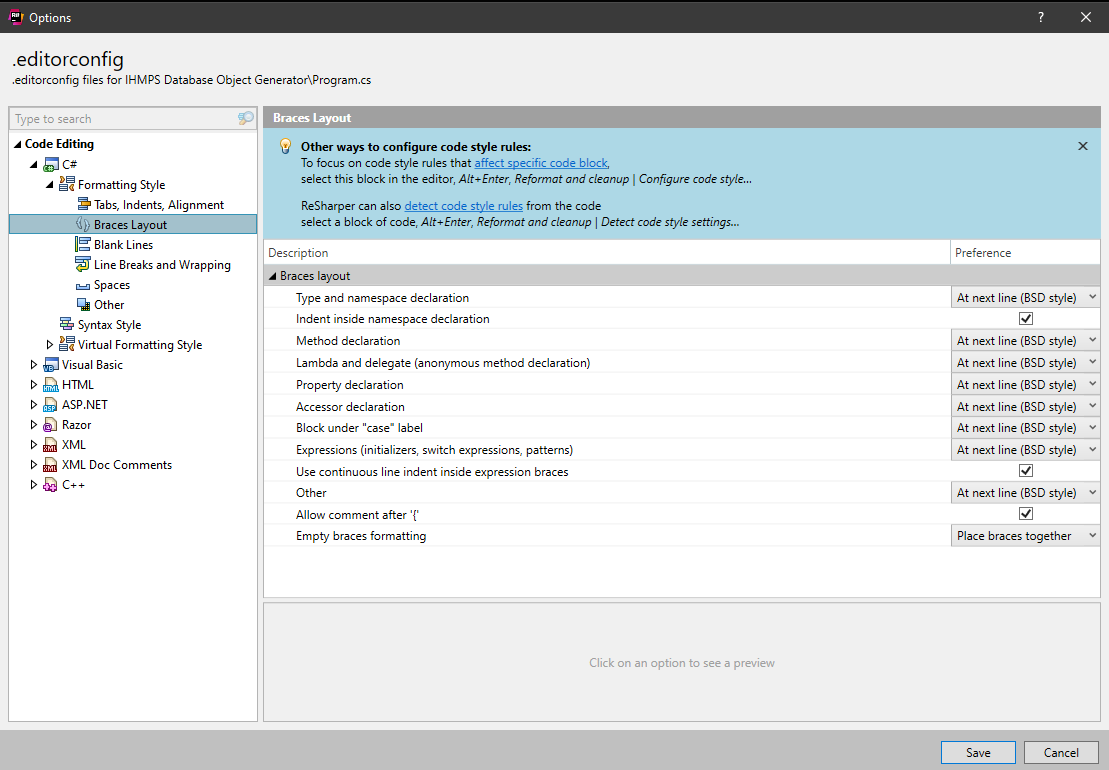
When I edit the editorconfig rules inside ReSharper and click "Save", it doesn't actually make any of the changes I request:
Please sign in to leave a comment.
Hello,
thank you for contacting us.
What version of ReSharper are you using?
Could you please share with us your editorconfig file? You could upload it here: https://uploads.jetbrains.com/, after the upload is completed successfully, please share the Upload ID.
Thank you!
The version of ReSharper is whatever the latest is, as I ensure to keep it up to date.
JetBrains ReSharper 2022.2.3 Build 222.0.20220901.62528 built on 2022-09-01
ReSharper C++ 2022.2.20220908.143631
ReSharper 2022.2.20220901.64753
Upload: 2022_10_13_pHx99XALXdUyYhXBWcgp6c
Hello,
thank you for the file.
Unfortunately, I can't reproduce this issue. Could you please take a video of this issue and upload it to https://uploads.jetbrains.com/ ?
Thank you!
It won't let me upload the video, I don't know why. It keeps failing. So here's a Google Photos link: https://photos.app.goo.gl/nc9xWB3XiCgqbkUF9
I can't do a screen recording directly, it is prohibited by my company.
Hi,
thank you for the video and sorry for the delay with answer.
Could you please install our latest EAP build from here: https://www.jetbrains.com/resharper/nextversion/#section=windows and check if the issue still relevant?
If it won't help, please run Visual Studio with the following command line: 'devenv /ReSharper.LogFile C:\log\resharper_log.txt /ReSharper.LogLevel Verbose'.
Try to reproduce the issue and send me a corresponding 'resharper_log.txt' file.
Thank you.