Filtering of Find Results

Hello!
There was a search box for filtering the "Find Results" if I remember correctly. But after some updates it has gone!
Why? How to return this search box for filtering the results?
Regards,
Andrey.
Please sign in to leave a comment.
Hello!
Which kind of filtering exactly do you mean? There are still options to filter by write/read.
Just a search box with text edit to show only those results that contain the entered text.
Edit: we have recently updated from the MSVS 2017 to 2019, can this be a reason?
My screenshot was from VS2019 - do you not have the same "Type to search" edit box? Could you please attach a screenshot of how "Find Results" looks for you?
Exactly! I don't have this "Type to search" edit box.
This is how it looks for me:
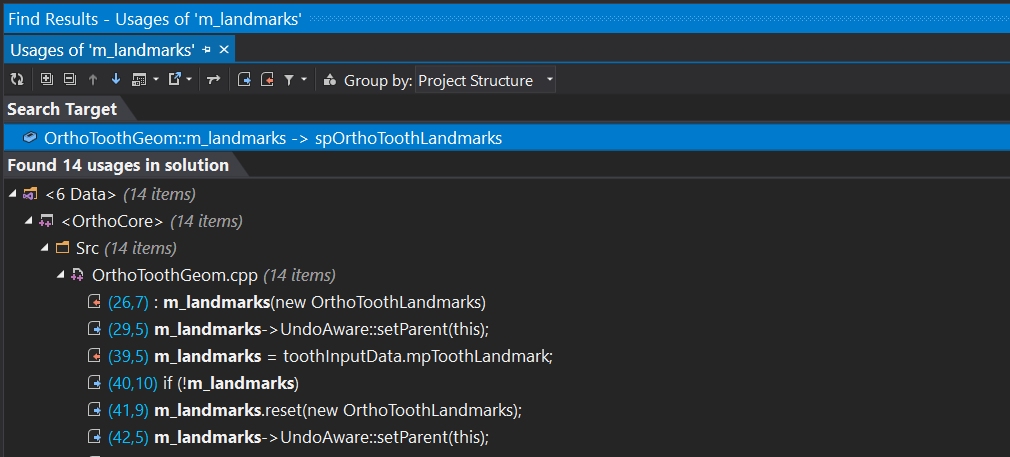 Can this be a problem with dark theme?
You've probably just enabled the auto-hide behavior. Type something while the focus is in the "Find Usages" window to make the search box appear and then disable auto-hiding.
Yes, that was the problem! Thank you very much!