Not all keyboard shortcuts are set after a fresh installation

Hello
I have noticed this before as well but I always
forgot to post it here. When you perform a fresh installation of ReSharper not
all the keyboard shortcuts will work. Not even when you "Apply" the shortcuts in
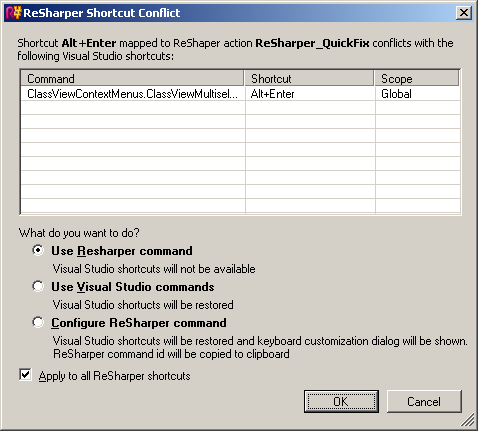
the ReSharper options menu. Only when you hit <Alt><Enter> in any of
the class file you will get to see the ReSharper Shortcut
Conflict dialog:
Isn't it possible to have ReSharper set all the
shortcuts from the beginning immediatly after the installation?
Cheers
Gabriel Lozano-Moran
]]>Attachment(s):
ReSharper Shortcut Conflict dialog.png
Please sign in to leave a comment.
--
Sergey V. Coox
JetBrains, Inc
http://www.jetbrains.com
"Develop with pleasure!"
Okay, but how about showing this dialog in Visual Studio when you first run
it after installing ReSharper?
Cheers
Gabriel Lozano-Moran
"Sergey V. Coox (JetBrains)" <qx@intellij.com> wrote in message
news:g4nt0e$jdc$1@is.intellij.net...
Gabriel,
ReSharper used to override conflicting shortcuts silently in previous
versions and many users complained about that. So we decided to collect the
information about conflicts and show it if the conflicting action is
invoked.
--
Sergey V. Coox
JetBrains, Inc
http://www.jetbrains.com
"Develop with pleasure!"