Unresolved Symbols indicated inside a correctly compiling Web Service Class

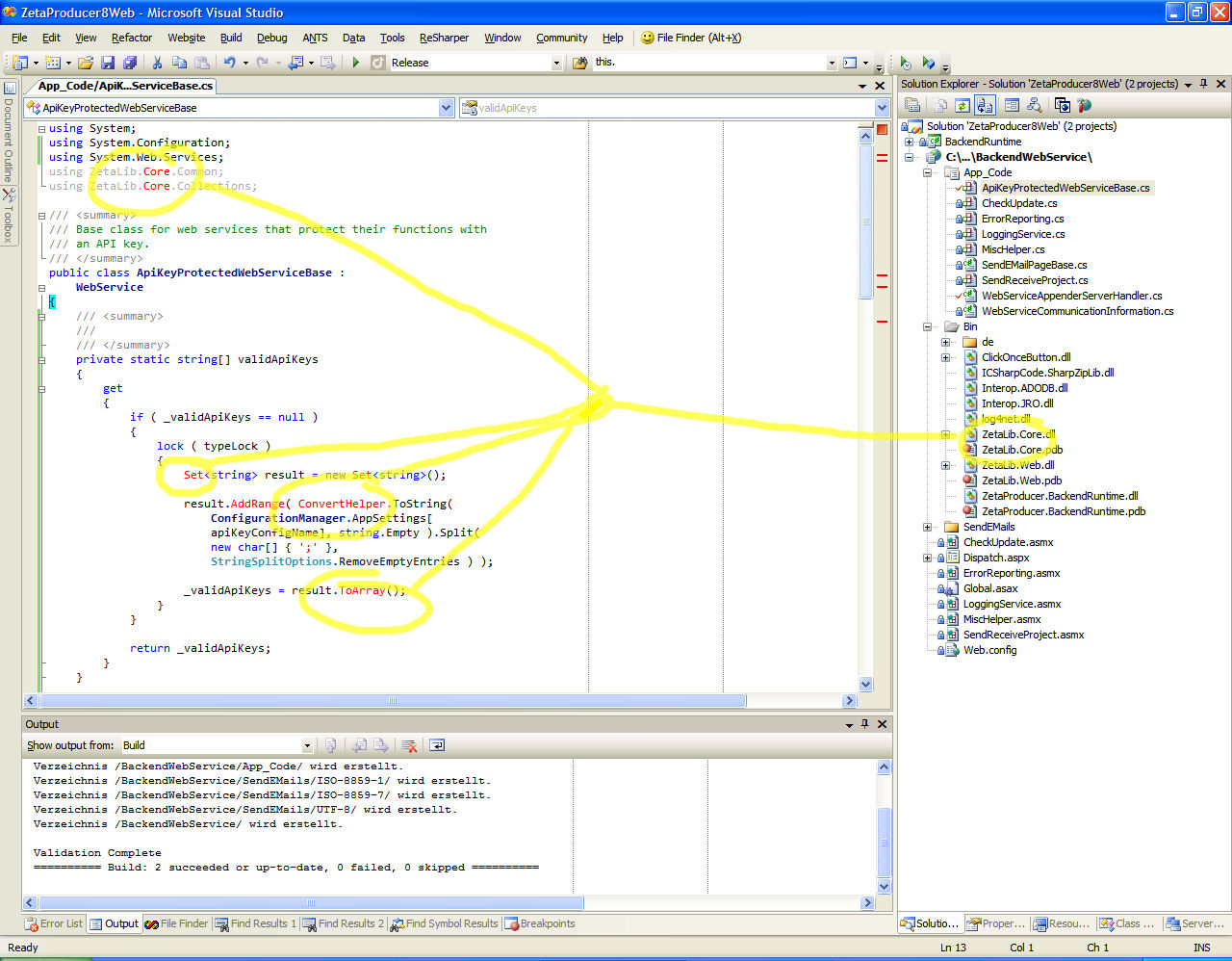
In an ASP.NET 2.0 Web project, resharper incorrectly detects several unresolved references, although the project itself compiles correctly.
I attached a screenshot as well as the source file itself.
Question: Is this a user error, because I did something wrong or an error of ReSharper?
Thanks
Uwe
Keywords: web service web-service web-services web services code behind c# asp.net
Attachment(s):
apiKeyProtectedWebServiceBase.cs
resharper-uwekeim-02.jpg
resharper-uwekeim-01.jpg

Please sign in to leave a comment.
Uwe,
It looks as if web service you are referencing is not resolved for some
reason. What version of ReSharper are you using? If you are able to email
your solution to me, it would help to identify the problem.
My e-mail is qx jetbrains com/
--
Sergey V. Coox
JetBrains, Inc
http://www.jetbrains.com
"Develop with pleasure!"
I am using the latest EVALUATION version. I will send you the solution right now.
Thanks
Uwe
Damn! I just tried to extract a SLN with the project in concern by copying the relevant project and files to a new folder.
When I try to open that solution, the error does not show up, so basically it is pretty useless to send you.
Anyway I still send you, but the error is not present when being in the other folder/solution :(.
Thanks to Sergey, I was able to resolve this "issue". For all with the same behaviour, the solution for me was:
1.) Close the Visual Studio Solution.
2.) Simply remove the caching folder "_ReSharper.NameOfYourSolution" with Windows Explorer.
3.) Open the Visual Studio Solution.
The ReSharper cache is now being rebuilt, and the falsely detected unresolved symbols are now correctly detected.
Uwe,
There might either be an issue with adding references, I've just fixed.
Anyway, the upcoming nightly builds for both 3.0 and 2.5 should work
correctly if the caches are cleaned up.
--
Sergey V. Coox
JetBrains, Inc
http://www.jetbrains.com
"Develop with pleasure!"