How Do I Remove Multiple Right Click Menu Entries?

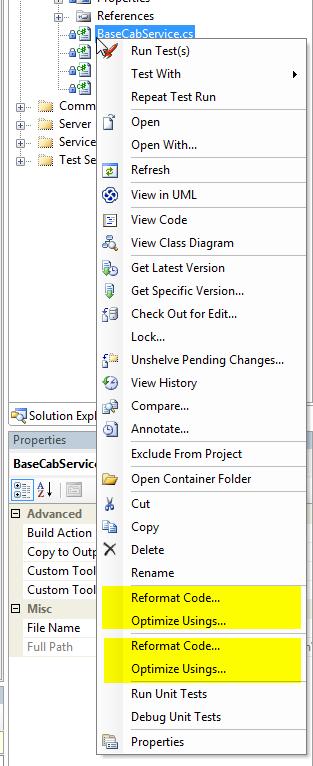
Perhaps due to being a ReSharper 3.0 EAP tester, I have duplicate entries on my right click menu when editing a code file (multimenu.jpg) and selecting a file (multimenu1.jpg). Does anyone know a way to remove the duplicate entries?
Thanks in advance - jlo
Message was edited by:
Jeffrey Odell
Attachment(s):
multimenu.jpg

multimenu2.jpg
Please sign in to leave a comment.
It's not because you were in the EAP. I installed the release version, and I have exactly the same problem.
I ran setup in the 3.0 version, but I didn't uninstall 2.52. I ended up with multiple menus and context menu groups.
Hello Chris,
the simple way to get rid of the obsolete menu entries is Reset All Settings
(Tools|Import and Export Settings). This is only needed to be done once.
Dmitry Shaporenkov
JetBrains, Inc
http://www.jetbrains.com
"Develop with pleasure!"
The solution proposed at the end of the thread - resetting options - worked. However, you will loose all other settings.
If you choose to export your settings, then reset to a default, then re-import your settings, you might get some of them back.
Hello,
I hope it did, anyway. But the menus are a different thing, the uninstaller
is not always capable of removing them nicely. That's why in 3.0 we started
using a new method for inserting the menus, and the uninstallations should
be clean in this respect.
—
Serge Baltic
JetBrains, Inc — http://www.jetbrains.com
“Develop with pleasure!”