R# 2.5 and R# 3.0 Highlighting Bug

Hi,
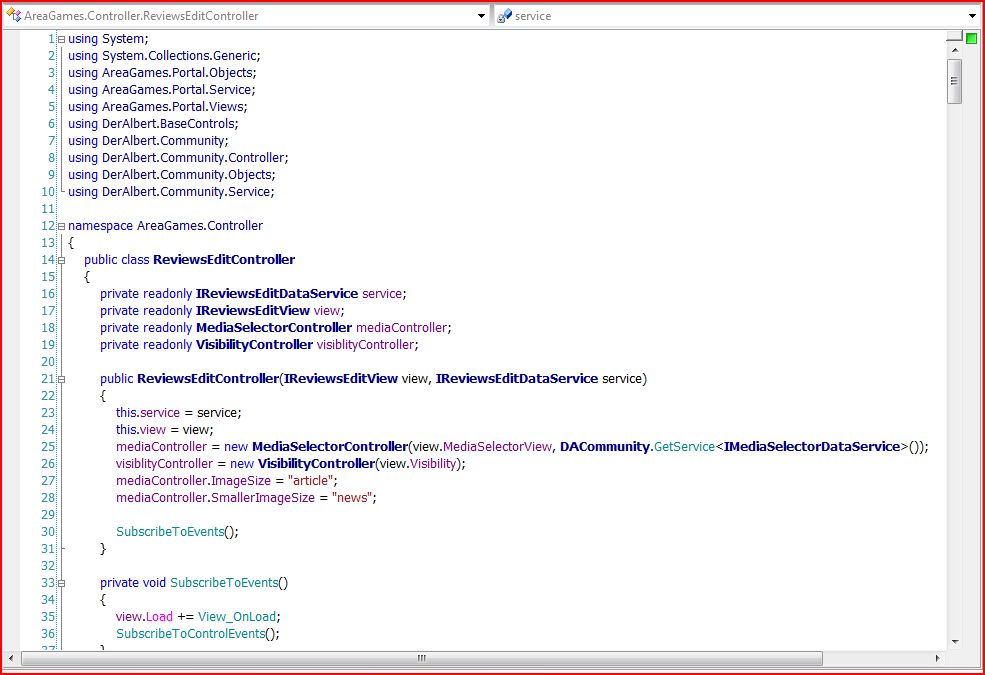
from time to time i get an error in the Highlighting of Type-Identifieres.
See: ReSharper-Bug1.JPG
If i go in the Tools/Options Menu and choose Environment/Fonts and Colors,
and Click direct "OK" without changing anything everything ist allright.
See: ReSharper-Bug2.JPG
Windows Vista or Windows XP. Visual Studio 2005 SP1. R# 2.5 and R# 3.0
In the Settings of "Fonts and Colors" i only change two things.
I set the font to "Tahoma" and the "ReSharper Type Identifier" to bold.
That's all.
For ReSharper i activate "Color identifiers" open.
Mostly it works. But sometimes, after starting, oder while working the
problems occurs. Also in .ASPX Pages.
--
Regards
Albert Weinert
MVP Visual Developer ASP.NET
http://der-albert.com
Attachment(s):
ReSharper-Bug1.JPG

ReSharper-Bug2.JPG
Please sign in to leave a comment.
Albert Weinert wrote:
I have similar problems with colors, and i dont find any solution to
reproduce this bug, also send log to this newsgroup, and R# stuff
doesnt find anything in that logs. Then i must reinstall visual studio
and R# :( and it will help to me.
just my 2 cents...
--
Peter Sulek
terrorix@centrum.sk
XanaNews ver. 1.18.1.6
This occured since version 2.
I 'fixed' it by setting white background for invalid entries (the ones on
the picture) instead of automatic color.
--
Rolek