How do I? Minor annoyance...

Only been using ReSharper for few weeks... I'm wondering how to stop it from suggesting I change some paths?
Screen shot of the message I would love to get rid of:
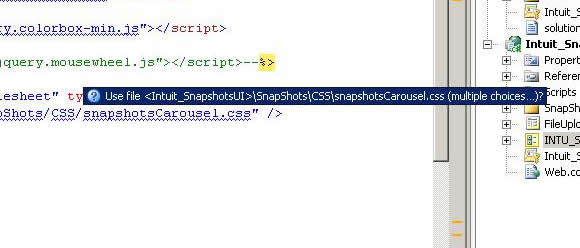
Thanks!
Please sign in to leave a comment.
Hello Rhett,
It looks like ReSharper doesn't understand your web site structure correctly.
You can disable this suggestion by providing 'Do not show' value for ASP.NET
| Path Error inspection under ReSharper | Options | Code Inspection | Inspection
Severity. Could you please attach a small sample solution which would demonstrate
this problem, so that we could address it properly? Thank you!
Andrey Serebryansky
Support Engineer
JetBrains, Inc
http://www.jetbrains.com
"Develop with pleasure!"
Andrey,
Sorry I did not reply sooner... ReSharper is actually doing fine, it's just that the path does not exist in my project. My project is a SharePoint Web Part and I'm hardcoding some path's to resource files (css, js, etc...). So ReSharper cannot find the path and then gives me the messages.
So no real problem with ReSharper I just needed to know how to disable.
Thanks,
Rhett