How to fix garbled fonts?

Hi there,
Just installed ReSharper to evaluate it again having used it as a previous company.
Hit a problem straight away... any highlighted text is displaying as a garbled font.
Have tried searching but not found much.
Tried reverting font from Consolas to default Courier New. Checked fonts in VS options, and deleted the 'Cache' font registry setting as I found in another post.
Here's a screenshot of the issue. I get this everywhere that ReSharper highlights anything: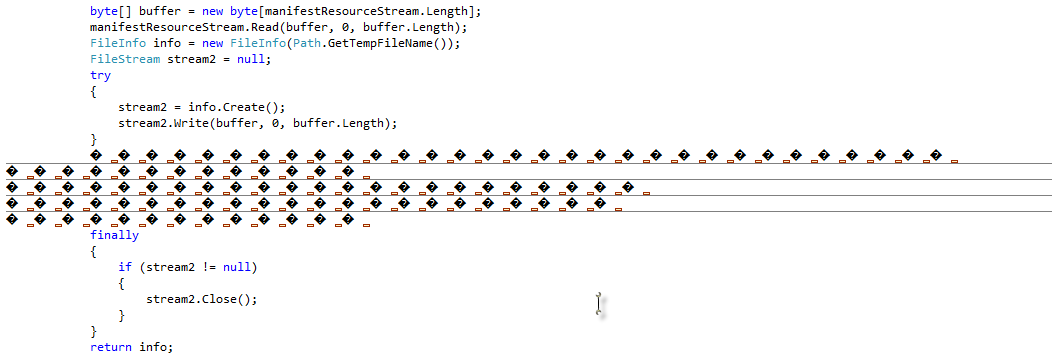
The text in the garbled bit is the following, so it is correctly being identified as redundant:
catch (Exception) // exception)
{
// Log?
throw;
}
As I say though, I get this absolutely everywhere, rendering Visual Studio unusable.
Will be forced to uninstall if can't get this resolved asap.
Appreciate any help.
Cheers,
Westy
Please sign in to leave a comment.
You need to install SP1 for Visual Studio.
Ah, ok, grabbing it now.
Will report back. Thanks for the help.
Sorted it.
Thanks