R# does not respect color theme

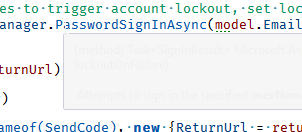
I'm using the "Color Theme Editor for Visual Studio 2017" AddIn and prefer to use the "Dark with light editor" theme. With this theme and R# enabled the editor tooltips are unreadable because they are displayed with grey text on grey background. Is there any setting to change this?
Best Regards
Andreas
Please sign in to leave a comment.
Hello Andreas!
Please try installing "Enhanced Tooltip" plugin for ReSharper and change the color in "Tools | Options | Environment | Fonts and Colors | Show settings for: "Environment" | ToolTip".
Thank you.
Hi Angelina,
i already did this before i posted the problem here, but it seems that i didn't test enough. Today i had some time to play around a little bit with the color settings. If i set the tooltip background to a dark color, the tooltip text is displayed:
This is the case with and without the Enhanced Tooltip addon installed. But there are cases where the Visual Studio tooltip is shown (for example, if i place the cursor over "await" instead of "_userManager"):
As you can see in the screenshot the readabiloity of the tooltip text is not so good.
The problem is, that R# overrides the tooltip text color with white because he thinks the default dark theme is selected. I have changed the tooltip item foreground with no effect for both cases. Then i customized the color theme with the color theme editor. When change the text color of the tooltip it is respected by the Visual studio tooltips but not by the R# tooltips.
Best Regards
Andreas
Hello Andreas!
Sorry for delay in responding.
Took some time to play with Enhanced Tooltip extension.
Have you tried white background/black foreground combination or it's not an option? It seems to display tooltip ok for me.
Also please check that ReSharper | Options | Environment | IntelliSense | Enhanced Tooltip | Tooltip background and foreground set to Environment so it picks the correct settings.
Thank you.
Hi Angelina,
also sorry for the delay, but I had some stress on the job. When i try the settings you suggest i have the following look for tooltips on C# keywords:
Nevertheless it seems to be no matter if i use "Use text editor settings" or "Use environment settings". In both cases the tooltips are displayed with the same colors. I now use black foreground and silver background in "Tools/Options/Environment/Fonts And Colors/Environment" which looks acceptable for me:
(cursor on await keyword)
But i wonder why the text color is white in the second screenshot.
Regards
Andreas