Options-> Tools -> External Sources ....doesn't exist!
Answered

Hi,
With Resharper, I used to use F12 to download a decompiled source & navigate into it..
For example - in C#, I could hit F12 on the DateTime class keyword, which would download decompiled source code & navigate into the class definition.
But recently I started using a new computer. With a fresh install of VS2015 & Resharper Ultimate 17.1.1, this no longer works. When I hit F12 I only see "DateTime [from metadata]"
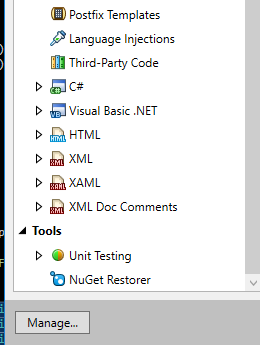
Note that in my options menu: Resharper-> Options-> Tools -> External Sources ....doesn't exist.
Please sign in to leave a comment.
Hello
Looks as if some R# features have been disabled here ReSharper | Options | Environment | Products & Features list
Thanks!
Yep that was it - I had to enable ReSharper | Options | Environment | Products & Features | Navigation and Search
Thanks for the help!
Awesome!