Stop the error 'boxes' from appearing and hiding my code

While I'm coding and have an error, It appears to me like this,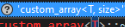 This annoys me so much, because it doesn't disappear unless I choose one of the options in the red bulb, and even when I choose one of the options in the red bulb the red bulb does nothing, I don't know why it's not working too.
Any help would be appreciated.
Please sign in to leave a comment.
Hello,
You need to uncheck the "Show popups for import actions" setting in ReSharper options.
Thanks, that worked.