Refresh the Inspection Results
Answered

The documentation depicts and describes the use of the Refresh button on the Inspection Results toolbar here: https://www.jetbrains.com/help/resharper/2020.1/Reference__Windows__Inspection_Results.html#Items
However, there is no such button on the Inspection Results toolbar that I can see:-
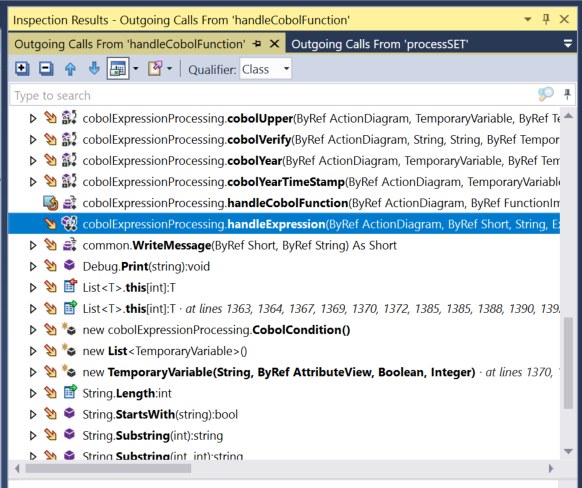
So why isn't it there?
I think it may have something to do with the fact that I changed the signature of the top level item and then want to refresh the calling structure (which has not changed).
Just trying to understand what's happening here (newbe).
Please sign in to leave a comment.
If you look at the screen-shots further up the article you linked to, the refresh button appears for the "code inspection results", but not the "call tracking" or "value tracking" results.
I have no idea why. I guess it just hasn't been implemented for those windows yet. But it's not just you. :)
Thanks Richard - I hadn't noticed that. Maybe I need to submit a feature request - I'll go do that.
I got ReSharper almost exclusively for the Call and Called Structures - to help me analyse a complex set of recursive functions - and it's very handy to be able to see quickly what calls what, to jump to the calls etc - but as I'm carrying out maintenance and improvements, if I change the signature then the display remains populated but is no longer active and it's a pain to find the root and rebuild that display then to open the layers to get back to where I was before.
Hopefully they will fix that - for me it is high value.
Hello,
Please refer to the following issue reported here - https://youtrack.jetbrains.com/issue/RSRP-287134.
Feel free to comment or vote for it.
Thank you.