Overrings/Delegating members windows showing the wrong icons set

Hello,
in VS2026, when opening the ReSharper overriding/delegating members dialogues, I'm getting the IntelliJ IDEA icons set
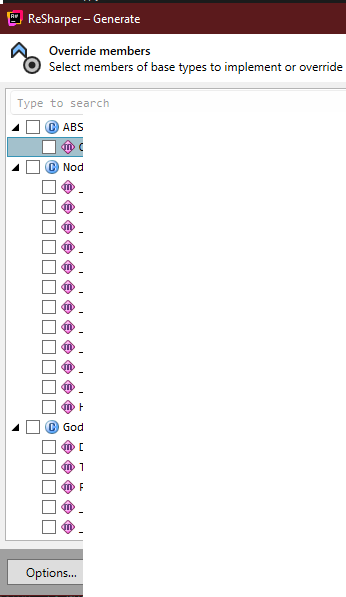
despite having the dark grey icons set selected in options
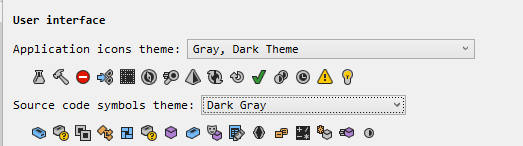
I really don't like the IntelliJ icons set and would prefer the icons sets I selected in options, and this must be a regression because I don't remember ReSharper ever using the IntelliJ icons in those dialogue boxes.
(I tried clearing cache, restarting VS/ReSharper, didn't help, it really wants to use those icons)
Thank you!
Please sign in to leave a comment.
Hello Greg Kilmatead, I’m sorry you’re facing this behavior. There is the following issue in our bug tracker about this: RSRP-502348 Wrong icon set in refactoring windows. Please vote for it or leave a comment on the issue to stay updated on any status changes. Thank you!
Thank you for the response, I have upvoted the issue.