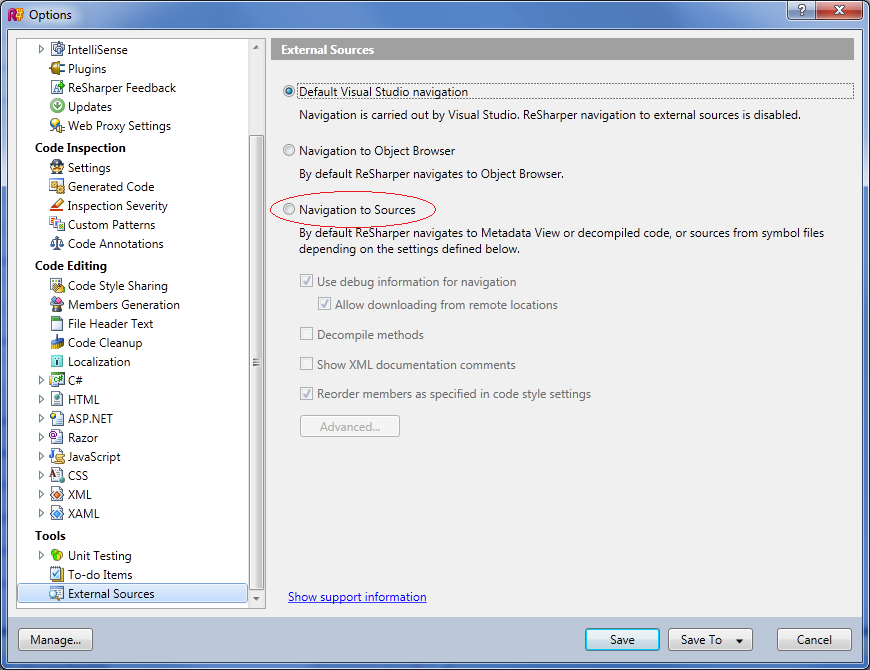
How to get Decompiled Sources menu enabled in R#6.1

Hi,
After installing R#6.1 (ReSharperSetup.6.1.37.86.msi), I do see the Decompiled Sources menu but it's greyed out everywhere. I've tried everywhere to see where that menu can be "enabled" but no luck. I also tried reinstalling.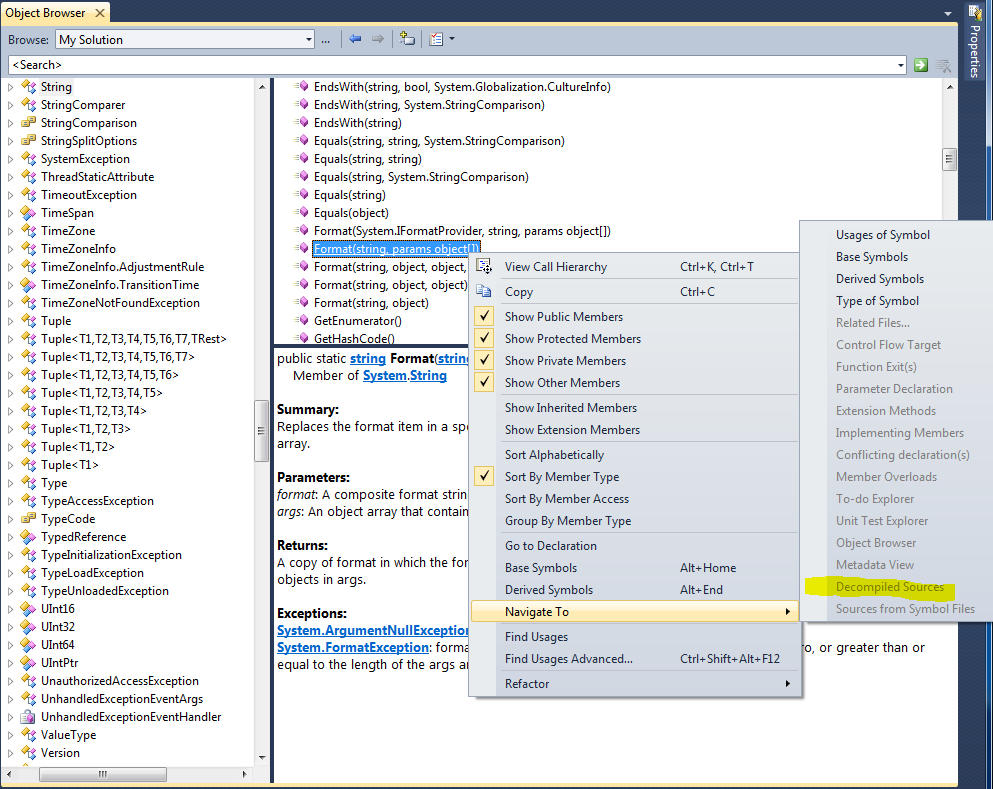
I remember that it used to work in R#6.0, which unfortunately had to be uninstalled due to the OutOfMemory exception and gone back to R#5.1.
Any ideas on how to get it enabled?
Thanks
-Jimmy
Please sign in to leave a comment.
Hello Jimmy
Could you please attach a screenshot of your ReSharper | Options | Tools | External Sources options tab? Thank you!
Andrey Serebryansky
Senior Support Engineer
JetBrains, Inc
http://www.jetbrains.com
"Develop with pleasure!"
Thank you for pointing me to the options. I had it on Default Visual Studio navigation. After I change it to Navigation to Source, the Decompiled Sources menu is enabled.