Prevent resharper from placing closing bracket and beginning of line

I have the latest version of ReSharper installed with the following brace layout options: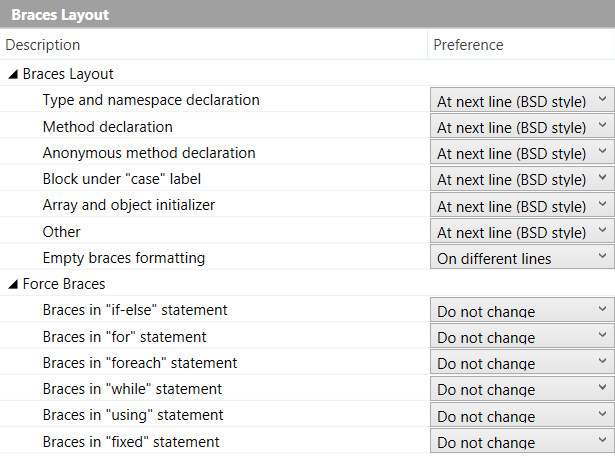
My problem is, when I close a brace manually, it will place it at the very beginning of the next line. For example:
Which is quite infuriating because I'm constantly having to move it to where it belongs (directly below the opening brace). I know this is a ReSharper issue because when I suspend ReSharper the problem no longer exists. I have no other plugins installed.
How do I convince ReSharper to format this correctly?
Please sign in to leave a comment.