No Such margin in the view.

Anybody find a way to work around this error? It seems like Resharper still "works", but none of the side bar lines or bubbles appear in the left/right margins. Everything used to work just fine with the same version of the EAP (6.0.2137.71), however once I installed a number of T4 toolbox related tools, Resharper started misbehaving. Uninstalling Visual Studio (2010 SP1) and all Visual Studio related tools and installing again has not helped. I've filed the bug report, but just curious if anyone else has managed to work around it.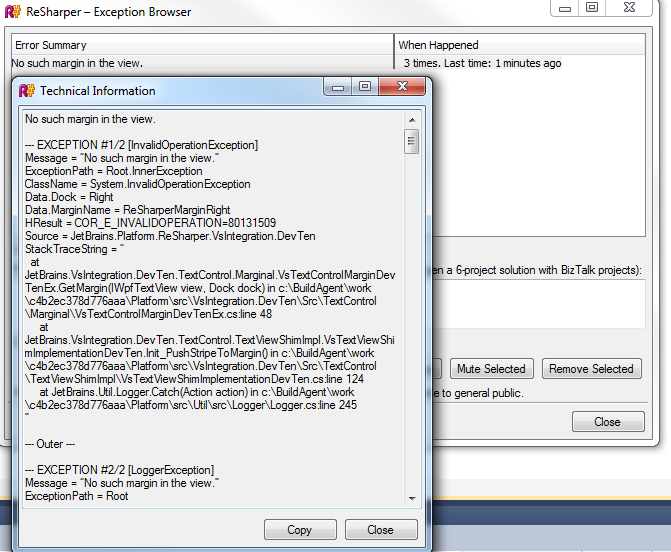
Thanks,
Ryan
Please sign in to leave a comment.
Hello Ryan,
Please try the following steps:
1. Uninstall ReSharper
2. Remove ReSharper installation folder and \Common7\IDE\Extensions\JetBrains\ReSharper
folder
3. Re-install ReSharper
Let me know if this helps. Thank you!
Andrey Serebryansky
Senior Support Engineer
JetBrains, Inc
http://www.jetbrains.com
"Develop with pleasure!"
Hi Andrey,
I went to follow your instructions, however the uninstall correctly removed the Resharper installation folder as well as the Extension folder. After installing the latest build though (2141), everything seems to be working again.
So I will chalk that up to "the developer is watching so of course it will work" and be happy and if it occurs again, I will keep these steps in mind.
Thanks again,
Ryan