Change size of the Unit Test Sessions window test status field

Hey everyone!
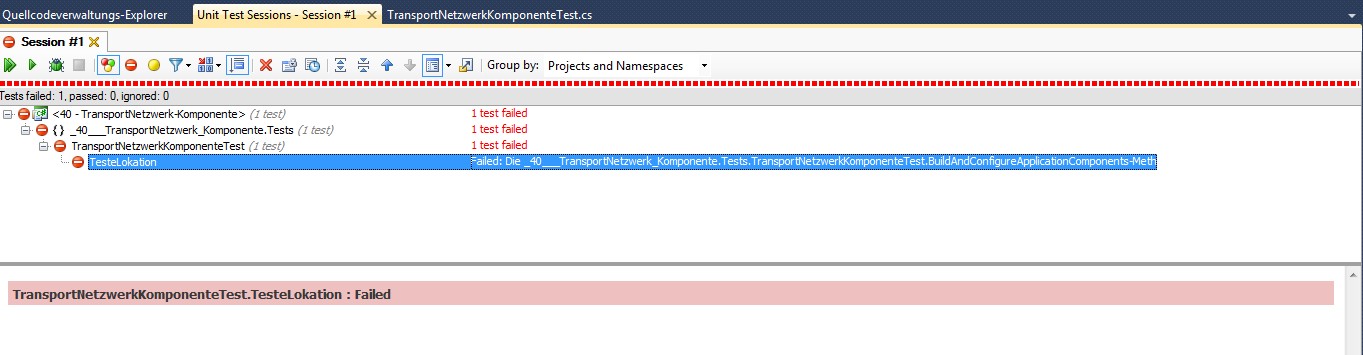
I have a problem with the unit test sessions window of resharper. A test is failing and I'm getting a message about that failure, but the length of the "status field" isn't big enough. Even when I export the error message it's cut off at the same place. It's cut off where it's getting interesting. ;)
To see what I'm talking about click the attachment.
Can I change that somehow or see the message somewhere else?
Attachment(s):
problem.jpg
Please sign in to leave a comment.
Hello Torben,
I'm afraid there's no way to see the whole message in the UI. As a workaround,
you can debug the test and watch for the results. We will try addressing
this problem in one of the future releases. Thank you!
Andrey Serebryansky
Senior Support Engineer
JetBrains, Inc
http://www.jetbrains.com
"Develop with pleasure!"
Thank you for the response. The problem I had was caused by a wrong version of the UnitTestFramework (9 instead of 10). Now with the right version the error get displayed in the text window at the bottom. But maybe it would have helped if I had been able to see the whole error message before. Thanks again!