Error in <example> tag in quick documentation

Hi all,
I have a method documentation in my code:
    /// <summary>
    /// Returns name of outmost member found in expression of <paramref name="e"/>.
    /// </summary>
    /// <param name="e"></param>
    /// <returns></returns>
    /// <example>
    /// <code>
    /// string name = Reflector.GetMemberName( () => "hello".Length );
    /// // returns: "Length"
    /// </code>
    /// </example>
    public static string GetMemberName(Expression<Func<object>> e)
    {
      ...
    }
If I show quick documentation (Ctrl+Shift+F1) of this method it is correctly shown.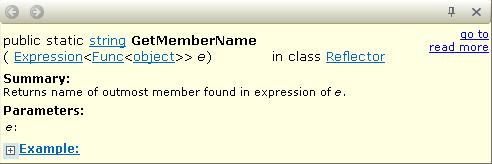
But if I click on the Example link there is a page shown with the content: blank#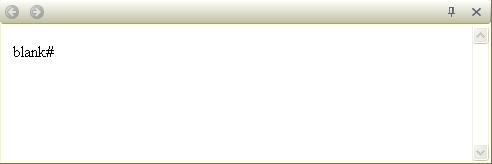
What is wrong in my method documentation ?
Edit: This is not special to this method documentation. I tried other examples with the same result (blank page), e.g.:
    /// <example>Hello</example>
    void Do() {}
Message was edited by: Markus Messerschmidt
added 2nd example code
Please sign in to leave a comment.
Hello Markus,
Which version of ReSharper are you using? I wasn't able to reproduce this
behavior with 5.1.3000.12. Thank you!
Andrey Serebryansky
Senior Support Engineer
JetBrains, Inc
http://www.jetbrains.com
"Develop with pleasure!"
My versions are:
JetBrains ReSharper 5.1 C# Edition
Build 5.1.1766.4 on 2011-01-12T16:31:10
Plugins: none.
Visual Studio 9.0.30729.4108.
Hello Markus,
Please try upgrading to ReSharper 5.1.3 which is available at http://www.jetbrains.com/resharper/download/index.html.
Thank you!
Andrey Serebryansky
Senior Support Engineer
JetBrains, Inc
http://www.jetbrains.com
"Develop with pleasure!"
I have upgraded to 5.1.3 ( and lost my custom shortcut settings :( ) and do not see any effect.
Clicking on Example: link still shows a page with text blank#.
Hello Markus,
This behavior is most likely due to internet security settings on your machine.
Please try the steps mentioned here: http://devnet.jetbrains.net/message/5290239#5290239.
Thank you!
Andrey Serebryansky
Senior Support Engineer
JetBrains, Inc
http://www.jetbrains.com
"Develop with pleasure!"
This do not help me because that setting is already enabledon my computer.
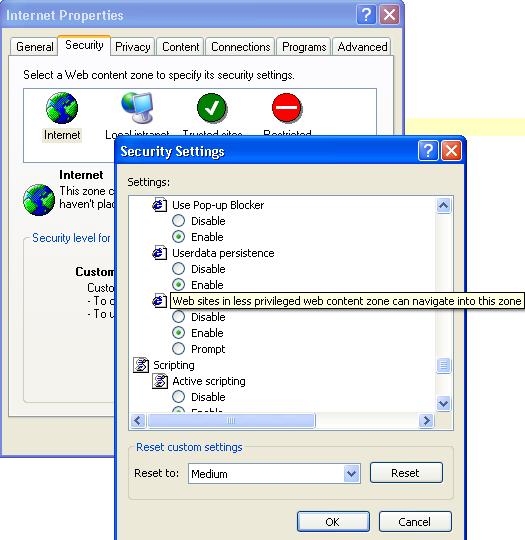
Now it is fixed.
I installed Internet Explorer 8 (before that I had IE6) and now it works.
Thank you, the Internet Settings were the essential hint to do it.