Resharper Replaces Text on Enter
Answered

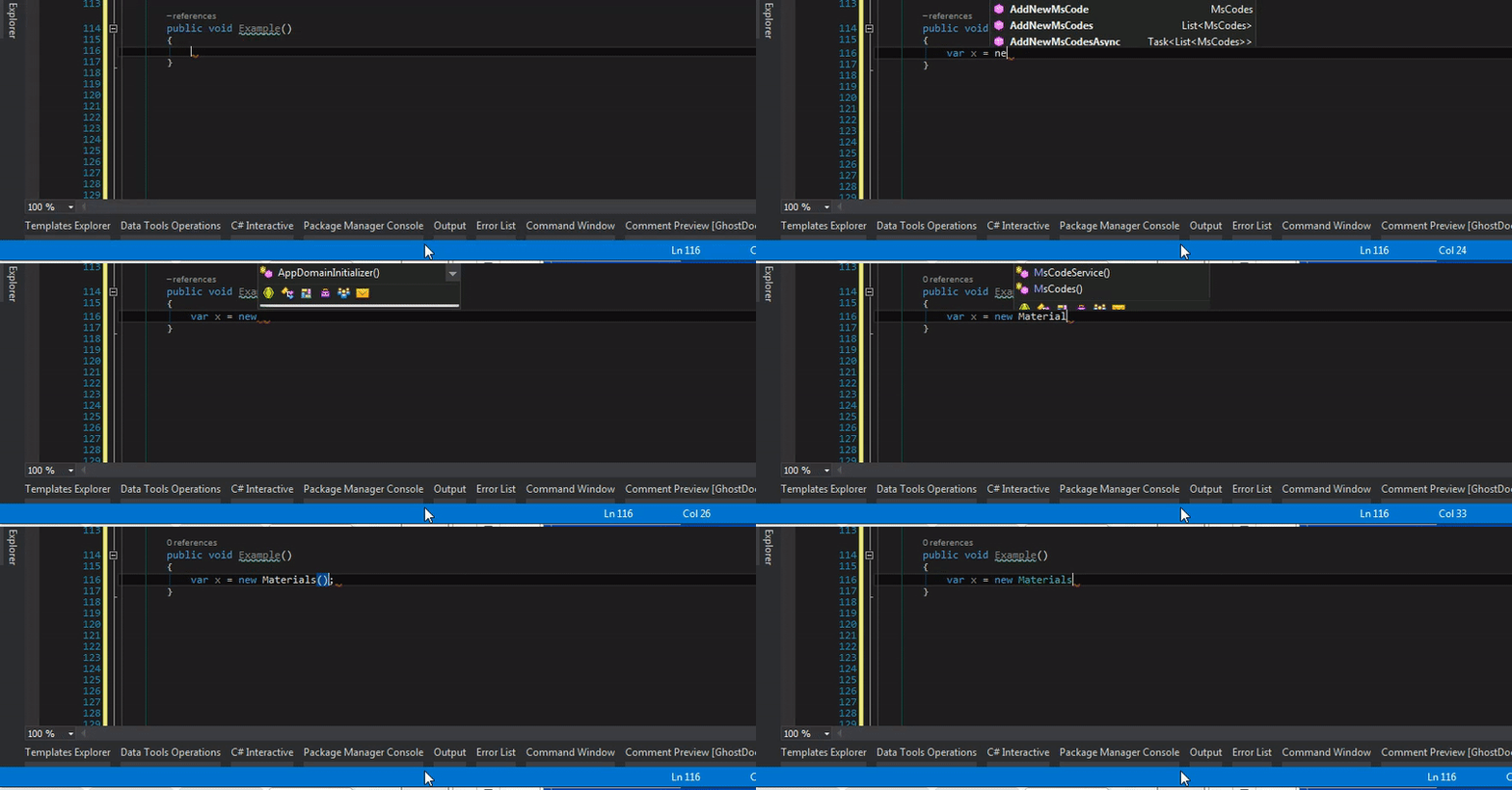
Whenever I create a new variable and press enter Resharper deletes my text. It also does the same thing with labmda expressions. Please see the example below for reference. This is driving me crazy. I've tried resetting Resharper's settings but that didn't work. Any help fixing this would be GREATLY appreciated.
Thanks!
Please sign in to leave a comment.
Hello
Does the issue happen in any solution even in a newly created one?
Thanks!
This does happen in every solution. It also happens across multiple computers. If you type "anyList.Where(c=>c." it erases the text to be "anyList.Wherec.)" as well. It doesn't do it every single time but it happens more often than not. I tried to adding different characters to the "don't complete on" setting under code completion to see if that would help and it didn't do anything either. If I wait a second or so after I finish typing the line it won't erase the text. It also doesn't do this if I disable R# intellisense but I prefer R# over VS intellisense. I don't know what's causing it because it happens across multiple computers and multiple solutions.
This is driving me insane. When I finish typing a little red squiggle appears after the ";". If I wait for that to go away it wont replace the text. However, it takes a second or two and this really slows me down. Any ideas how to fix this? I'm almost to the point where I'm considering uninstalling R#. :(
Please could you run Visual Studio with the following command line: 'devenv /ReSharper.LogFile C:\log\resharper_log.txt /ReSharper.LogLevel Verbose'. After that reproduce the issue and send me the corresponding 'resharper_log.txt' file via "Submit a request" button at the top of the page.
Thanks!