Deadlock in EAP 10 when doing code cleanup

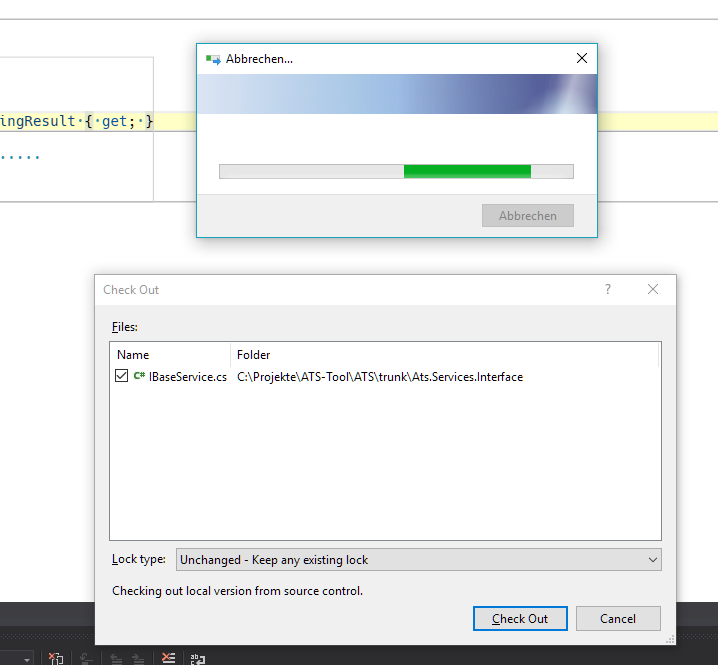
I just want to do a code cleanup for a file in a solution which is under TFS source control. It took a quite long while for a file with 10 lines of code so i canceled the cleanup. But the dialog will not disappear until i fired off Visual Studio in the task manager,
The source file was write protected because it wasn't checked out. I can see the "Check out" dialog of Visual Studio but can't handle it, because the R# dialog prevents it.
Please sign in to leave a comment.
i tried this another time after restarting Visual Studio. This time i didn't cancel the code cleanup. In this case i could serve the checkout dialog.