R# Breakpoints window does not keep up with added/removed breakpoints.

Hello.
I'm using Resharper version
"Ultimate 2017.3 Build 111.0.20171218.133305
ReSharper 2017.3.20171218.134701"
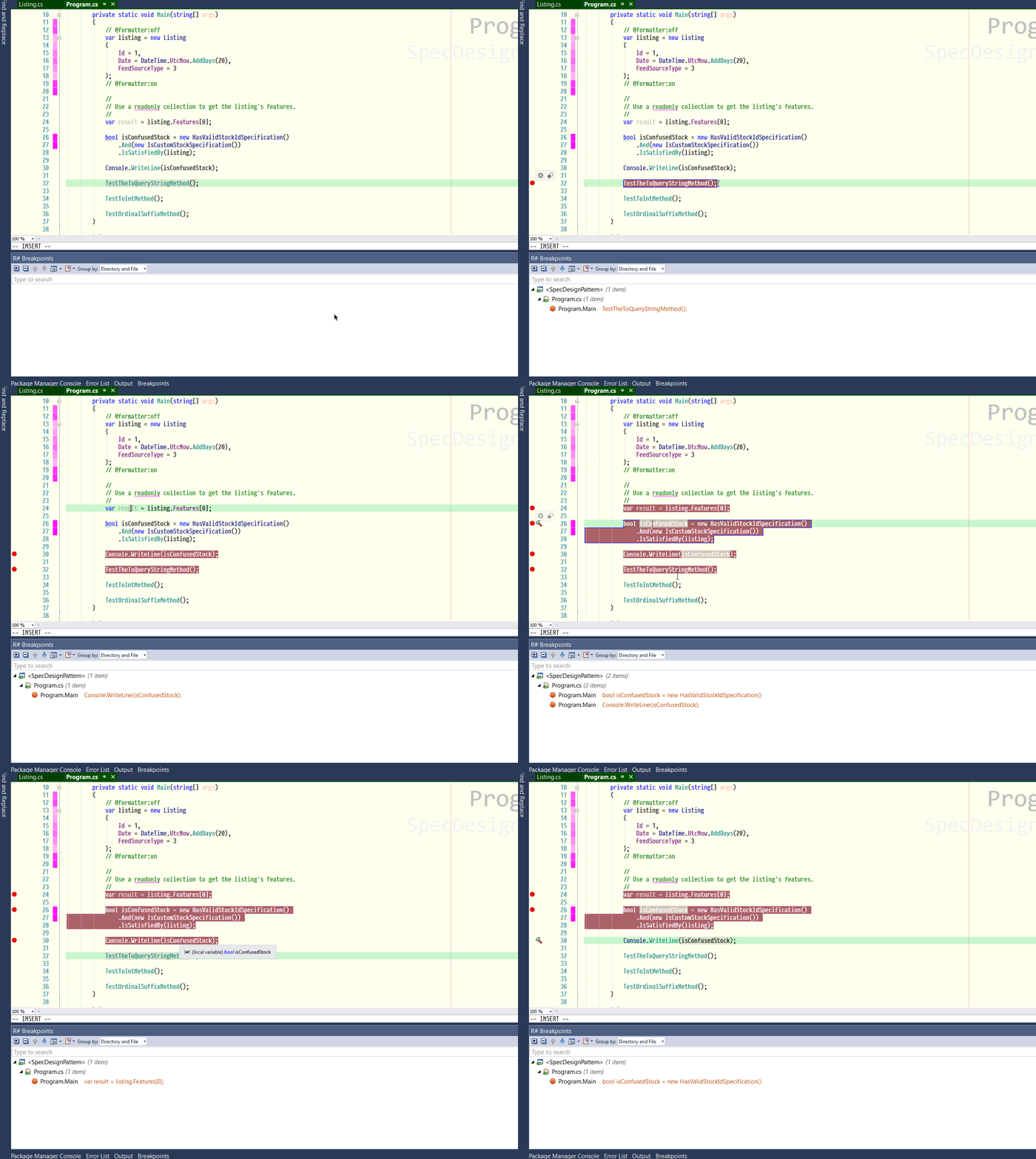
Whilst trying out the new "R# Breakpoints" window, I noticed immediately that when I added/removed breakpoints in code, the window did not show the correct number of breakpoints. I've added a gif with this post that demonstrates the problem.
Thanks.
Jason.
Please sign in to leave a comment.
Helloi Jason!
Thank you for the feedback.
We've already aware of this problem. You are welcome to follow the issue - https://youtrack.jetbrains.com/issue/RSRP-467674.
Thank you.
Awesome, cheers for the link, and for getting back so quickly.
Thanks.
Thanks, I was about to report this issue but great that it was fixed so quickly.
@Jason Evans - What theme and font are you using in your VS?
@Varun The font I use is called Pragmata Pro. It's similar to Fira Code regards displaying ligatures. I purchased it from here
https://www.fsd.it/shop/fonts/pragmatapro/
It's been my favourite for over a year. Before, I would change fonts often. But I've stuck with this the longest.
I don't use a theme as such. I stole some colours from Solarized Light and tweaked a few options, such as parameters. When I get back from my Xmas break, I will dump out my colours into a file and place it on my GitHub account so that you can check it out, by importing into VS. It'll be in about a week.
@Jason Evans - Thanks for the detailed response. Never heard of that name so I will take a look now. Yes you can put it on your Github account so then I import it. Thanks a lot for the assistance.
@Varun I've exported the fonts and colour settings from my Visual Studio to a Gist.
The link is https://gist.github.com/MrClyfar/fbd4f9f8fb132526a8cb123737232bd2
@Jason - Thanks, I have downloaded it and will have a look now. Thanks for sharing.