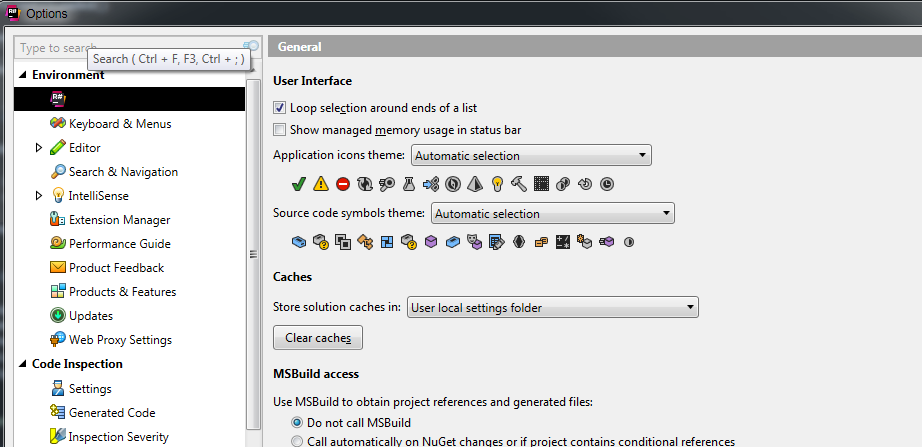
Resharper Options menu has a black background

Hi All,
My Resharper has an issue in the Options menu, where the selected menu item has a black background.
It's not a huge issue, but it can make it hard when navigating around.
It only occurs in the Resharper menus; Visual Studio ones seem okay.
I'm guessing its something missing / added in the company Windows 7 installation as my colleagues also experience this.
I've also tried Googling around but couldn't find anything.
Does anyone have any ideas? I don't think it's an issue with my settings / configuration, as colleagues have reset / reinstalled Resharper & Visual Studio at different points and this has been the visual behaviour from the get-go.
Please sign in to leave a comment.
For me it seems to be a windows 7 color scheme problem. I notice that you also have a black title bar. As i can remember i had a similar problem some time ago and resolved it by changing my windows color theme.
Regards
Andreas
100% correct - it was the 'Selected Item' setting, in advanced colour scheme options.
Thanks for the help & pointing me in the right direction.