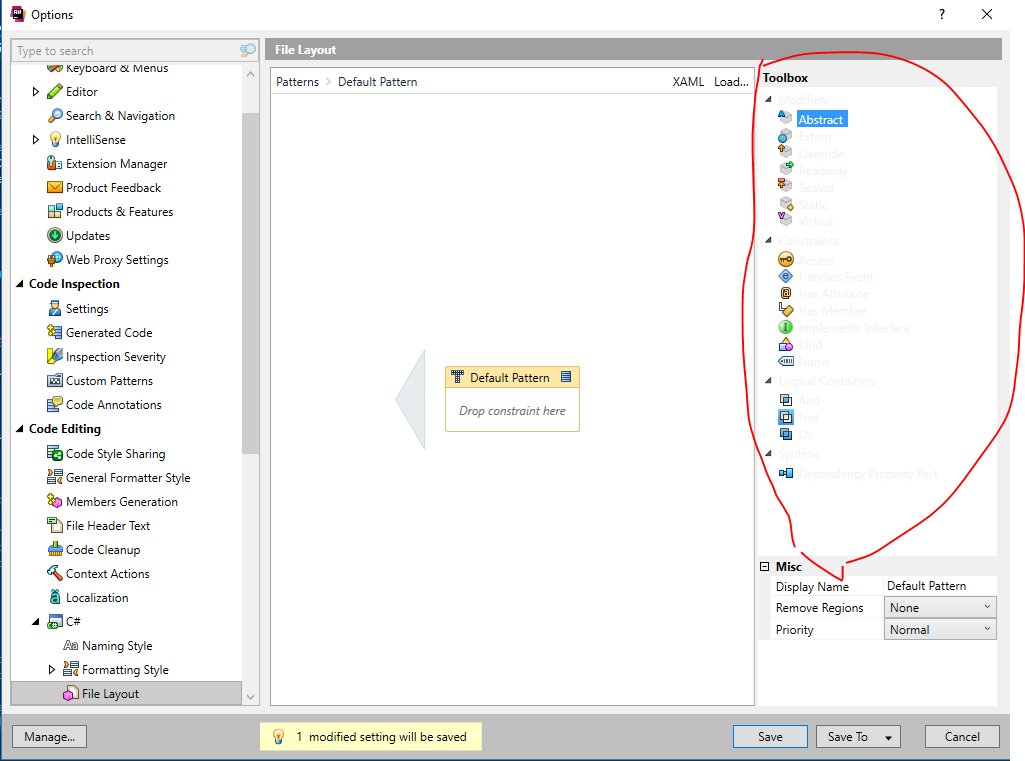
@Supremegrandruler looks like I was finally able to reproduce the same behavior for a default Windows 10 color theme and the root of the issue was "Visual Studio Tools for Unity" plugin https://youtrack.jetbrains.com/issue/RSRP-465154. Do you have the same plugin integrated to Visual Studio on your machine?
Awesome! If you have time, please try removing Unity plugin from Visual Studio and check that ReSharper Options colors will go back to normal, just to confirm it will start working well for you as well. Seems like that plugin overrides a few Visual Studio colors we are using in ReSharper.

Hello Rafael
Sorry for the delay.
Seems like you have a custom color for "3D Object" item in "Window Color and Appearance" settings:
By default, it is black, but looks like it is grey on your machine.
Thanks!
I'm on Windows 10 and this is the screen I see:
Clicking on Color takes me to this screen:
And everything looks normal here.
Hello Rafael,
I provided a screenshot from Windows 7 since Windows 10 does not provide a simple way to adjust colors for every UI elements.
If you select any default Windows 10 theme - will the same issue happen?
I was able to reproduce similar color behavior only using High Contrast theme https://youtrack.jetbrains.com/issue/RSRP-462879.
Thanks!
Hi Alexander,
I changed it to the default Windows theme and rebooted my machine but the issue persists.
Any news on this bug?
As far as I might see here https://youtrack.jetbrains.com/issue/RSRP-462879, there is no news.
Thanks!
@Supremegrandruler looks like I was finally able to reproduce the same behavior for a default Windows 10 color theme and the root of the issue was "Visual Studio Tools for Unity" plugin https://youtrack.jetbrains.com/issue/RSRP-465154. Do you have the same plugin integrated to Visual Studio on your machine?
Hi Alex,
Thanks for working on it all this time. :)
Yes, I do have that plugin installed.
Awesome! If you have time, please try removing Unity plugin from Visual Studio and check that ReSharper Options colors will go back to normal, just to confirm it will start working well for you as well. Seems like that plugin overrides a few Visual Studio colors we are using in ReSharper.
Thanks!