Missing Cleanup Code... on Specifically Named Files in Solution

I'm running Resharper Ultimate 2016.3.1, and the latest build of VS 2017 RC (15.0.26020.0).
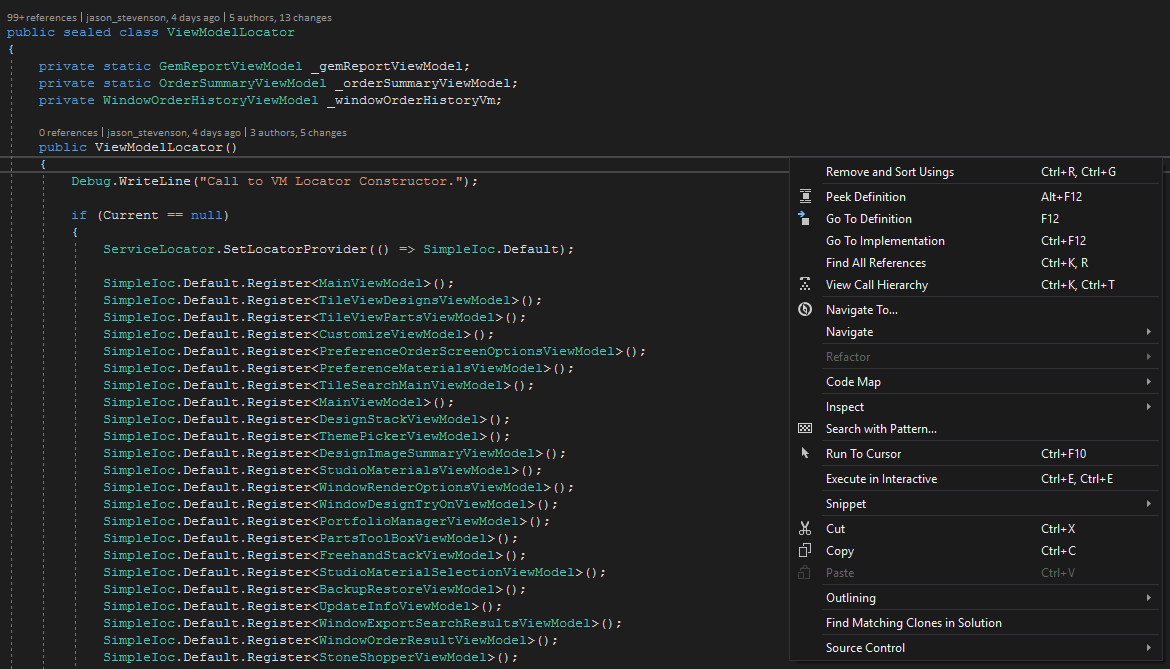
When I right-click on a file in solution explorer, or on the code window, if the file is named (MainViewModel.cs, or ViewModelLocator.cs) then the context menu is missing the "Cleanup Code..." menu item.
Its as if Resharper is disabled for those specific filenames. If I rename the files, the menu items re-appear.
Please sign in to leave a comment.
I just fixed this issue by copying the Solution's Settings Layer on top of my "This Computer" and "Personal" layers.