VS 2017 so slow and logging an error on ActivityLog.xml

Hi ...
I recently installed VS2017 and also ReSharper.
But my VS is really boring, so slow.
And every time I start it, after some seconds, it shows me this window: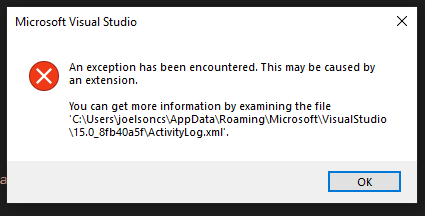
And an entry on ActivityLog.xml is created, like this one:
<entry>
<record>749</record>
<time>2023/04/14 18:50:38.413</time>
<type>Error</type>
<source>Editor or Editor Extension</source>
<description>System.InvalidOperationException: Sequence contains no elements
 at System.Linq.Enumerable.First[TSource](IEnumerable`1 source)
 at JetBrains.Platform.VisualStudio.SinceVs10.TextControl.Markup.IntraTextAdornments.VsTextControlIntraTextAdornmentsRenderer.<>c__DisplayClass0_2.<.ctor>g__OnTextBufferOnChanged|12(Object sender, TextContentChangedEventArgs args)
 at Microsoft.VisualStudio.Text.Utilities.GuardedOperations.RaiseEvent[TArgs](Object sender, EventHandler`1 eventHandlers, TArgs args)
--- End of stack trace from previous location where exception was thrown ---
 at Microsoft.VisualStudio.Telemetry.WindowsErrorReporting.WatsonReport.GetClrWatsonExceptionInfo(Exception exceptionObject)</description>
</entry>
Does anyone know how to fix it?
Thanks, best regards,
Joe (joelsoncs@ciasc.sc.gov.br)
Please sign in to leave a comment.
thank you for contacting us.
Could you please suspend ReSharper in the 'Tools | Options | ReSharper | General' dialog, restart Visual Studio and check if the issue persists.
Thank you!
Hi Olga,
Thanks for your reply.
YES, suspending ReSharper the error goes away (as suspected, since the logging error show something related to JetBrains).
Thanks,
Joe
thank you for the answer.
Could you please install our latest release from here: https://www.jetbrains.com/resharper/download/#section=web-installer
If it won't help, please run Visual Studio with the following command line: 'devenv /ReSharper.LogFile C:\log\resharper_log.txt /ReSharper.LogLevel Verbose'.
Try to reproduce the issue and send me a corresponding 'resharper_log.txt' file.
Also please send us ActivityLog.xml.
You could upload files here: https://uploads.jetbrains.com/
Thank you!